RCS vs. SMS: What Business Owners Need to Know in 2026
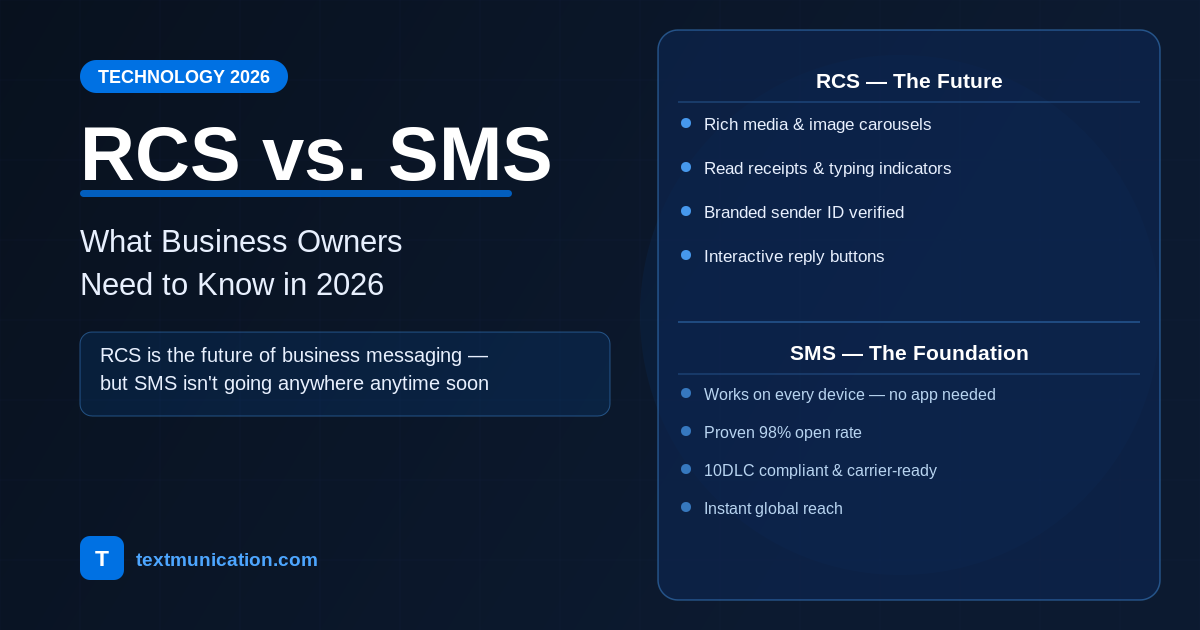
If you've sent a text from an Android device lately and noticed read receipts, typing indicators, or high-resolution photos without compression, you've been using RCS without knowing it. RCS stands for Rich Communication Services — the messaging protocol that Google has been pushing as the modern upgrade to SMS.
In practical terms: RCS is what SMS would look like if it were built in 2024 instead of 1992. It runs over data (LTE or Wi-Fi) rather than the old cellular signaling channel, which means it supports features SMS simply can't — branded sender names, interactive buttons, image carousels, read receipts, and more.
For business owners, the shift matters because RCS for Business (also called RBM — Rich Business Messaging) allows companies to send messages that look more like an app experience than a text. A restaurant can send a message with a photo of today's special, a "Reserve a Table" button, and the ability to confirm in one tap — all inside the native Messages app on Android.
That's a meaningful upgrade from a plain-text SMS that says "Book your table: [link]."
How RCS Actually Differs From SMS
SMS and RCS aren't competing technologies that do the same thing differently. They're genuinely different in what they can deliver.
Branded Sender Identity: With SMS, your business name shows up only if the recipient has saved your number — otherwise it's just ten digits. With RCS, you get a verified business profile with your brand name, logo, and a verified checkmark. Recipients know exactly who they're hearing from before they open the message.
Rich Media and Carousels: SMS can send images via MMS, but compression is severe and file size limits are tight. RCS supports full-resolution images, video, and horizontal carousels — so a retail brand can send a card showing three products with prices and a "Shop Now" button for each, all in a single message.
Interactive Buttons: Quick-reply buttons and suggested actions are native to RCS. A dentist's office can send an appointment reminder with "Confirm" and "Reschedule" buttons — no link, no form, just two taps. This drives response rates significantly higher than a text with a URL.
Read Receipts and Delivery Confirmation: RCS shows exactly when a message was delivered and when it was read. SMS gives you delivery confirmation in most cases, but no visibility into whether the message was actually opened. For time-sensitive communications, that difference matters.
No Character Limits: SMS has a 160-character limit per segment (concatenation makes longer messages work, with cost implications). RCS has no practical character ceiling.
The tradeoff: all of this only works when the recipient's device and carrier support RCS. And that's the part of the RCS conversation that doesn't always get mentioned clearly enough.
What RCS Business Messaging Looks Like in Practice
Retail: A clothing brand sends a flash sale announcement. The message shows three product images in a carousel — each with a price, a brief description, and a "Shop Now" button. The recipient scrolls through without leaving their Messages app, taps the item they want, and lands on the product page. Zero friction from notification to purchase.
Restaurants and Hospitality: A hotel sends a pre-arrival message with the guest's name, check-in time, a photo of the property, and two quick-reply buttons: "Early Check-In Request" and "I Need Help." The front desk gets an alert and can respond. This is a support interaction that would normally require a phone call or app download — handled inside a message thread.
Healthcare: A clinic sends an appointment reminder with the provider's name, time, and location — plus "Confirm," "Reschedule," and "Get Directions" buttons. Confirmations are logged automatically. No-show rates drop. Staff spend less time on reminder calls.
Financial Services: A bank sends a fraud alert with a transaction amount and merchant name, with "This was me" and "This wasn't me" buttons. Dispute resolution starts instantly, with full audit trails for compliance.
These aren't future scenarios. These are live RCS campaigns running today on Android devices in the US, UK, and dozens of other markets.
Which Devices and Carriers Support RCS in 2026?
Android: Google's Messages app — the default on most Android devices — supports RCS fully. AT&T, T-Mobile, and Verizon all support RCS. Most Android users in the US are RCS-capable today.
Apple: This changed significantly with iOS 18, released in late 2024. iPhones on iOS 18 or later can now receive RCS messages, including read receipts and typing indicators. This was the turning point that removed the biggest obstacle to US adoption.
The Approval Requirement: Sending RCS for Business messages isn't as simple as registering a phone number. You need to apply through Google's RCS Business Messaging program (or a certified partner), go through brand verification, and get carrier approval. The process can take several weeks, and not every business will be approved immediately.
This is meaningfully different from SMS, where you can complete 10DLC registration and be sending within a few days.
When to Use SMS vs. RCS
Most vendors won't give you this answer directly: in 2026, SMS is still the right primary channel for most business messaging. RCS is the right channel for specific high-value campaigns where the rich experience justifies the added complexity.
Use SMS when:
- You need universal reach — SMS works on every mobile phone, every carrier, every country. RCS does not.
- You're sending time-sensitive alerts — appointment reminders, delivery notifications, two-factor authentication codes. These need to land immediately and reliably.
- You're operating at high volume with tight timelines — RCS approval takes time; SMS campaigns can launch quickly once your 10DLC registration is complete.
- You're new to business messaging — start with SMS. Understand your audience and your opt-in flows before layering in RCS complexity.
Use RCS when:
- Your audience skews Android-heavy or iOS 18+ — retail, tech, food delivery audiences that skew younger are strong RCS candidates.
- You're running visual marketing campaigns — product showcases, event promotions, brand campaigns where rich media and interactive buttons will meaningfully lift engagement.
- You want branded trust signals at scale — the verified sender identity in RCS builds trust that SMS can't replicate, especially for financial services and healthcare.
- You've set up SMS fallback — any serious RCS program should automatically fall back to SMS for subscribers who can't receive RCS. Any proper platform handles this natively.
RCS and SMS aren't a choice between old and new. They're complementary tools. The right strategy uses both with smart logic for when each applies.
How Textmunication Supports Both Channels
We've supported SMS and MMS since the beginning. We've handled 10DLC registration, TCR compliance, and carrier relationships across thousands of brands in 30+ industries. RCS is the next layer on top of that foundation — not a replacement for it.
Our platform supports both channels from a single dashboard. You can build a campaign in RCS for your Android audience and have SMS automatically deliver to everyone else, without building two separate workflows. The fallback is built in.
For businesses ready to explore RCS, we handle the Google application and carrier verification process. We know what gets approved and what gets sent back for revision, and we'll save you the back-and-forth.
We also support MMS and WhatsApp Business messaging — so if your audience is global or prefers WhatsApp, you're covered without switching platforms.
The Bottom Line
RCS is real, it's growing, and it's worth planning for. Apple's iOS 18 support removed the biggest obstacle to US adoption, and branded RCS campaigns are delivering measurably higher engagement than SMS for the right use cases.
But SMS isn't going anywhere. It's universal, it's immediate, and it's the foundation that everything else is built on. The businesses getting the most from messaging in 2026 aren't choosing one or the other — they're running both, with clear logic for when each one applies.
If you're not sure where to start, our team is happy to walk you through what's realistic for your audience size, industry, and goals. No overpromising on RCS time